Today's Wisdom

Wednesday, August 10, 2016

5 Days of Homeschool 101 | Day 3 | Home Management

5 Days of Homeschool 101

See Day 1, and Day 2

As I stated in my planning post, I love to plan but fall off when it comes to the follow through sometimes.  My personality seems to be all or nothing with very little in between so when I'm on I'm on but the same is true when I'm off!  Here's my disclaimer:  This post will include almost all affiliate links because I have used these systems and gained a lot of insight from them all.  The thing about systems though is they do not complete themselves.  Oh how I long for a system like that!

I think I have come a long way in my home management though and the biggest success in that area is attitude.  I have learned to let go when needed.  I use to have the attitude that if I couldn't get it all done, then I would shut down and do nothing.  That did not give me any success.  I have since learned that if I do a little each day I don't feel so overwhelmed with trying to do it all. I have made index cards, used many planning systems, apps, taken online courses - you name it I have probably tried it and failed at it!  

So, my best advice in home management would be a quote from Elisabeth Elliot, "Do the next thing."
Here are a few tools that I currently use to help me accomplish doing the next thing.

1)  Motivated Moms - I have been using Motivated Moms for many years now because it is so simple and the tasks are broken down so that they are not overwhelming to me at all.  I began with the paper ebook planning system and have now transitioned to the app over the past couple of years.  This would be my all time favorite tool for home management and it appeases my type A personality too with it's color coding and delegation options.  I still transfer the items that need doing for the day into my paper planner because the act of writing it down helps me to keep the task fresh in my mind.  

2)  The To Do List - Making a nightly to do list with what I want to accomplish the next day also keeps me in sync with my home management. Again, I do better when I write down what I want to accomplish.  I have fought this tooth and nail because it seems like just another to do to add to the list but it really has helped me to accomplish more.  

If you are still fighting writing it down like I did for so long, I will share with you my weekly planner sheet that I made that just requires you to check off daily tasks.  It works okay for me because I still can write down what needs to be done for the week but I need a daily plan as well as a weekly plan so it's still not exactly what I want.  This is a free tool!

https://drive.google.com/a/gchomeschool.com/file/d/0B4F9e6bgTguCeFUyU0VheThnZk0/view?usp=sharing

3) Last but not least is this great Home Management Course, My Homemaking Mentor, that I joined up to support in it's beginning stages.  There are videos for the visual learner like myself and lots of sharing, encouragement, and ideas to help any type of homemaker.  The great thing about these courses is they are self paced and always available to you. You do not have a limited time but will always be able to access the old content as well as any new that may be added. 


There is also this homeschool focused conference that was just recently presented and still available to watch as well. 


If you are looking something for free, Jami's Finding Joy In Your Home, is a great free option to begin with as well!  

Just like each homeschool is unique and has to find out what works best for them, so does each home manager.  We are all made differently with different schedules, learning styles, and personalities so fitting a standard mold will never work.  Sometimes you have to tweak and play around with what works best for you and your home but mostly you just have to get it done!

What plan, schedule, or system have you found that helps you with your home management?  I am always looking and trying to learn!!

Tuesday, August 9, 2016

5 Days of Homeschool 101 | Day 2 | Planning

5 Days of Homeschool 101

See Day 1

Ahh, today's topic is one of my favorites.  I LOVE to plan!! Following through with the plans - not so much but the planning and organizing process is my favorite.  I plan for our homeschool yearly and weekly.
 
Yearly Planning

My yearly planning has pretty much stayed the same since we began homeschooling.  The first steps that I have to take are getting out last year's stuff.  I use this simple checklist that I made to keep me on track each year.  You can print a copy for yourself and tweak it to fit you if you like.  
Once most of that has been accomplished, I move on to prepare for the upcoming school year.  I'm currently working on that portion now as we type.  I am actually a little behind this year as I have completely moved our school room to a new location.  Since my oldest son graduated and has moved into his own apartment, we can now use his old room for our school room which is such a blessing.  I cannot believe how much stuff I had packed into a little corner of my bedroom which now currently looks so empty!!  I hope to add in a quiet time area and a treadmill in that space one day.  
I try my best to get all the copies that I will need made ahead of time and then file them by week.  Since we use My Father's World, I have weekly student sheets that need filing so any additional copies I will file in with those.  I use an accordion file folder to keep the sheets filed by weeks.
Here is a yearly planning video.  Again, most of my process has stayed the same even though this is an older video.  The only major differences that I noticed are we now usually work 6 weeks on and take 1 week off unless the week off is close to a planned vacation.

On the week that we take off I try to plan my the majority of my high schoolers lessons for the next six weeks.  Doing that makes it easier for me to complete my weekly planning.  We may not always get to what is on the list but I still like to have an overall plan.

Of course, I made my own planning sheet for that too! Download here to tweak for your own homeschool needs.

Weekly Planning

I've mentioned this so many times before but I cannot post a planning post without giving it a shout out.  This black zipper notebook aka as "my brain" has been in our homeschool since the beginning and is my all time favorite planning tool because I can keep everything I need for the week inside, zip it up and we're ready to go anywhere - home, on the road, park, basketball practice.

If I have done what I needed to during my yearly planning, then my weekly planning should be pretty minimal usually taking no more than an hour to complete.  Usually I can keep it around 30 minutes. 
 
Mainly, I break down the week for each child.  Here is an older video showing a weekly planning session and things pretty much look the same minus one child.  If you have any specific questions, please let me know!
Happy Planning!

Monday, August 8, 2016

5 Days of Homeschool 101 | Day 1 | Curriculum

5 Days of Homeschool 101
**This post contains affiliate links

Welcome to a fun week of homeschool sharing!  I love peeking inside other homeschools and finding new curriculum.  I must confess that I am totally a curriculum junkie!!  It is so weird planning for our upcoming school year as I am only planning for 2 instead of 3 this year!  You can read about about our first homeschool graduate and maybe pick up a few graduation tips of your own.

Curriculum - that word can bring up lots of feelings.  If you're just starting out, you may be completely overwhelmed and my advice to those of you who are is to start with what you already know.  Do you know your child's learning style? Do you know they excel in a certain subject?  Do they struggle in a certain subject?  My advice would be to spend more time researching curriculum for the areas of struggle.  Honestly, if a student doesn't struggle with a subject then most curriculum should be okay to use with them unless it totally goes against their learning style.  My favorite place to start when researching any curriculum is with the Schoolhouse Review Crew.  I know I'm on the crew but even when we took a break, I would check out their reviews before ordering anything.  

Since we're heading into our 9th year of homeschooling, I do feel like we've finally found our groove so picking and choosing does seem a little easier.  However, as mentioned before I am a curriculum junkie so it's still not completely easy!


This year in our homeschool we will have a 10th grader and a 8th grader.  Here are some of our curriculum choices for the upcoming school year.

10th Grade Curriculum


Bible - included in Notgrass and A.C.E.
Government & Economics - Notgrass Exploring Government,  Notgrass Exploring Economics and Everyday Economics
Finance - Dave Ramsey Foundations and Money Matters
Geometry - Teaching Textbooks
Spanish II - Rosetta Stone
English II - A.C.E. Paces & Heroes of History
Biology - Apologia

8th Grade Curriculum


Bible, History, & Geography - My Father's World ECC
Pre-Algebra - Teaching Textbooks
General Science - Apologia
Reading - Finish Little House Series and Begin Anne of Green Gables Series
Grammar, Spelling, and English - Logic of English 

Here is a little sneak peak inside some of our choices.


Those are our curriculum picks for the upcoming school year which I am trying really hard to have ready to begin next Monday!

Be sure to check out my fellow crewmates and what they have to say about homeschool curriculum. 


Tuesday, August 2, 2016

Review of CTCMath

CTCMath Review

So far this summer, we have focused on bringing you what I would call fun learning reviews. Today, you may look at me strange if I place this one in the fun learning category but hang on and I'll explain why! My daughter has been trying out the math lessons from CTCMath and I love that she has access to all grade levels with the Homeschool Membership. You see, math has never been her strong suit so we knew she would need some additional practice during the summer months. We had several specifications that we were searching for in a curriculum to meet our needs and CTCMath has been the answer to them all.  


Here is what we were looking for:

1) Something online that could be done from anywhere. This was definitely the case with CTCMath. She was able to carry the lessons with her when we traveled and had no problems logging in and completing them.

2) Lessons that could be completed in 15 minute increments. Because this is not a favorite subject, I wanted her to be able to complete her lessons first thing so she would not feel overwhelmed since we are technically on summer break. CTCMath again met this requirement. We focused on the Basic Math and Pre-Algebra lessons for my daughter. The video lessons and questions that followed could easily be completed within 15-20 minutes per day. 

3) We wanted a program that would allow her to go down a grade level if needed to close any gaps. With your CTCMath Homeschool Membership, you could easily go down or up in grade level because you had access to them all.   Also, since lessons are broken into individual topics, a student could easily retake a portion that they may have needed extra work on.  

4) Finally, I wanted something that would grade itself allowing me to simply check to make sure the work was being complete.  Not only is CTCMath self grading but I get a weekly PDF report sent straight to my email letting me know how Sarah did for the week.  The report shows how much time she spent, her efficiency rating, and which lessons were completed.  


Students have their own log in credentials and so do parents. When the student logs in, they have lessons available to them from Kindergarten through Trigonometry. There are also diagnostic tests available to help you place your student.  Sarah stayed inside the Basic Math and Pre-Algebra lessons which were broken down into 4 parts. 
 
Part 1 - lessons on basic and whole numbers, fractions, decimals, and percentages
Part 2 - lessons on problem solving, pre-algebra I, pre-algebra II, and Pythagoras' Theorem
Part 4 - lessons on powers, exponents, roots, scientific notation, measurements, area, the circle, and graphs and charts
Part 4 - probability, statistics, variables, expressions, and equations, equations extension, ratios, rates, number applications, and volume

As a student completes a lesson, a check mark is automatically placed beside it making it easy to pick up where they left off.  Students can also see their grades and go back over any lessons that are not satisfactory.  I required any scores lower than 80% to be retaken.  You can set the percentage level to suit your homeschool.


When you click on a lesson, you will be taken to a video explaining the topic and showing you how to do it.  We loved the Australian accent!  Concepts were broken down into simple and easy tasks making them seem easier to grasp.  The video lessons Sarah completed usually lasted no more than 5 minutes but could range from 4-9 minutes. 


The next step was to complete the questions on the concepts just taught in the video.  These were always 10 questions and graded as soon as the student completed each question.


Next was an optional worksheet.  Worksheets contained additional questions on the concept taught giving students extra practice if necessary.  The answers to these could be submitted and graded online as well or you had the option of printing out the worksheets and grading them yourself.  


In the parent view, there was the option of assigning tasks to your students.  We didn't use that feature since I just had Sarah go in the order she had finished.  I did play around with it to see how it worked though.  You could assign your students tasks for the week or day.  You had the option to change the dates, lessons, and completely customize what you would like your student to complete.  I could see this being a great tool to help students gain independence by assigning them their weekly lessons and requiring them to be due by the end of the week.  Then the student could decide how they wanted to tackle them as long as they were complete by the due date. 


With all the topics covered, I felt that this was a full math curriculum. Some of the higher levels are suggested by the author to best be used as a supplement. They have several options for memberships including monthly, 6 months, and 12 months for single students and for families of 2 or more. You can also try a free trial to see if this program fits your family.

Since lessons were able to be completed so quickly, it almost felt as if we were cheating the system some how.  I mean, aren't math lessons suppose to be an hour long? Not with CTCMath and that's why it has gained a spot in our fun summer learning category!

Find out more by visiting them on Facebook, Twitter, Periscope, Pinterest, and Youtube.

CTCMath Review


Crew Disclaimer

Monday, August 1, 2016

Graduation Tips


Stop by The Old Schoolhouse Blog to read some of my practical tips for planning your high school graduation day. 

It has been so strange only planning the upcoming school year for 2 instead of 3!! 

Wednesday, July 27, 2016

Review of Orphs of the Woodlands at Tangletree - #readingapp

Orphs of the Woodlands at Tanglegate Review

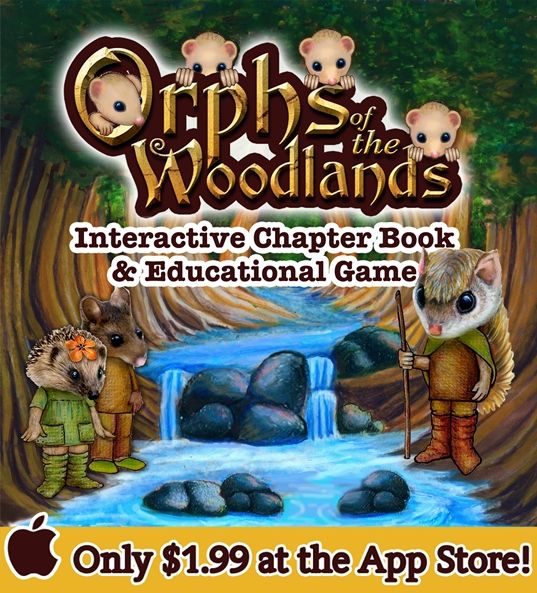
Today's review will be added to our fun summer of learning. We had the opportunity to play with a new app by Star Toaster called Orphs of the Woodlands at Tangletree. This app requires iOS 8.0 or later and is compatible with iPhone, iPad, and iPod touch.  It is an interactive book about critters who are orphaned and some that think they may have become orphans (orphs) as their parents have disappeared following a dam breakage. You will follow along with Abba, the flying squirrel, as he tries to investigate exactly what has happened. Just some of the critters you will encounter on your journey are hedgehogs, toads, crows, chipmunks, beavers, and mice.


Orphs of the Woodlands at Tanglegate Review

As you are reading along with the 122 page story, you will notice links along the way that take you to other tasks to complete.  As you complete those tasks, you earn supplies to help take care of the orphs whom Abba is taking care of in his treehouse.  Each of the links is clearly marked with a different color and include activities in the subject areas of grammar, math, vocabulary, science, thinking skills, life skills, and art.  There are 75 lessons with over 130 tasks to complete.


The links work in several different ways. You may just see a pop up explaining the definition of the word, or be taken to a video with more information, or simply be taken to another page with more details. For instance the link above, "flying squirrels", brought up a page giving you details about flying squirrels. As you will notice in the yellow title, it says "job training". In order to earn the supplies needed for the orphs, students will complete various job training exercises and then answer questions about their training to earn stars. 


Each job training category has an icon that matches with the help wanted icon. So first, students need to be sure they have completed the training section (#1) before answering the questions in the help wanted section (#2). When a task is complete, they will see a green check mark to let them know it has been completed. If they miss an answer, it is identified with a red x. There is not an opportunity to correct any missed answers.


Here is an example of a vocabulary pop up link. 


In Stumptown is where students will find the tasks they need to complete. Each treehouse that needs a task completed will have a number on it with the tasks that are available. When all tasks are complete and enough stars have been earned, supplies are rewarded for the orphs such as food, clothing, and other necessities.  


I snapped a few screenshots of some of the different learning categories for you to see. This one was on tally marks. 


This lesson was on Impressionism and it was fun to see mention of Monet as we have been studying a little about him over the summer and painting a few of his water lily designs.


This science lesson was on rainbows and how to remember the colors. 


There is a progress screen available so students and parents can keep track of progress too.  More than one student can use the app as well.  


This app is recommended for ages 9-11 and I used it with my daughter who is 12. The tasks involved were fairly easy for her but also a fun way to get in some review. I read along as well and found it neat how they incorporated the subject areas right into the story line. For example, Abba was speaking once of how he had worked for Pinecone Publishers and needed to know the difference between common and proper nouns which lead to a lesson on that subject area. 

Sarah completed all of the current lessons and finished the book. There is more scheduled to be added to the app at a later date. At the end, you can put in your email to be notified when it is updated.


This app currently sells for $1.99 in the iTunes store. Overall, we would recommend this app to families who want to add a great education app to their children's screen time or supplement their current curriculum.

Find our more on Star Toaster by following them on Facebook and Twitter.
Orphs of the Woodlands at Tanglegate Review
Crew Disclaimer

Monday, July 25, 2016

Menu Plan Monday - 7/25/16


It's time to eat again.  :)

Here's what is planned for the week:

  1. Sloppy Joes, ff
  2. Ham, spinach, rice
  3. Chicken pastry, yams, green beans
  4. out
  5. Creamy chicken egg noodles, garden peas
  6. BLT's, summer veggies