Today's Wisdom

Showing posts with label supplemental online learning. Show all posts

Tuesday, October 18, 2016

Review of Educeri Lesson Subscription Service | #educeri

Educeri Lesson Subscription Service Reviews
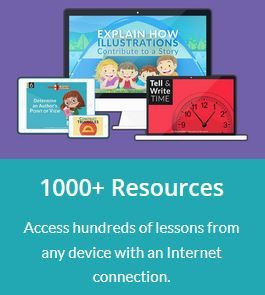
Educeri ....... Educeri a division of DataWORKS has over 1000 Ready to Teach Lessons available with their Educeri Lesson Subscription Service. With a subscription service like this, you can easily supplement any curriculum. There are a variety of subjects available in grades Kindergarten through High School. 

Educeri Lesson Subscription Service Reviews


The beauty of an online subscription service is the availability. You have access to the lessons 24 hours a day so you can prepare any time you wish. These lessons are designed to help teachers teach a variety of topics in subjects such as Math, Science, Language Arts, Writing, History, and more. The majority of the lessons at this time are in the Math and Language Arts sections.

The website is very easy to navigate. You can search by subject or grade simply by clicking the corresponding tabs.


We mainly used the 8th grade Language Arts lessons in our homeschool as that is one of the areas where I find we always need extra practice. The 8th grade Language Arts section had 43 lessons to choose from. I split the lessons up so that we covered 1 lesson per week and I just picked out the ones I thought we needed the extra help with. 

Once you decide on the lesson you wish to teach, you click on that lesson and you are taken to the lesson screen.
 

In the "Additional Resources" section is where you will find PDF printable pages for your student so the first step is to print those off.  


The next step is to click on the blue button that says "Teach Lesson". You are then taken to a virtual whiteboard where the lessons are completely laid out for you including what to say! There are also little side notes to guide the teacher in making sure the student understands the words being taught in the topic - these are labeled as vocabulary. Included as well are checking for understanding questions (CFU) to ask the student to help them pull from memory what they already know.


The answers to the questions are also given one at a time so you can discuss them with your students. Here is a slide where the answers are given to the first question. As you continue through the slides, the remaining answers are given.  There are even slides that show the student worksheets and answers so you can discuss their independent work as well.  It is pretty neat that you can do this like a virtual whiteboard so no need to even leave your seat.   


You can quickly navigate between slides using the menu button as shown in this slide.  That is a great feature if you wanted to only teach specific concepts.  

I think this program works better having the teacher involved with the lessons. I guess older students could go through the slides themselves but it was designed so teachers could help students with the concepts. As the teacher, you may want to preview the lessons ahead of time too although I had no problems diving in on the day we went through them.
Another great feature is you can use this service with multiple children making it very cost efficient.

The Educeri Lesson Subscription Service can be purchased monthly for $7 or annually for $75. You can also sign up for a 30 day free trial (no credit card necessary) to see if this service would benefit your homeschool.

You can find out more by visiting Educeri on Facebook, Twitter, and Pinterest.

Educeri Lesson Subscription Service
Crew Disclaimer

Wednesday, June 1, 2016

Review of Essential Skills Advantage

Essential Skills Advantage Review
My daughter has been using the Complete Home Learning Suite from Essential Skills Advantage (ESA) to review some of her studies for the past school year.

The Complete Home Learning Suite is a supplemental online subscription recommended for grades K-6 with thousands of lessons in Reading, Geography, Language & Grammar, Math, and Science. Science lessons are only available for grades K-3 and Geography is only available for grades 4-6. There are several options for payment including monthly, bi-annually, and annually. Prices also vary depending upon the number of students you plan to use the subscription. See ESA's pricing page for more information.


Essential Skills Advantage Review
When I first looked over the Complete Home Learning Suite, I thought it would be a great review for my daughter of the states and capitals she has worked on this year. She is actually in 7th grade but we found this to be a wonderful program that she could do independently for review. 
 
Once you set up your student/students, you can require a password for them to log in with or just skip that and let them log in automatically. Students can easily jump from subjects using the subject tab as well as choose different grade levels if necessary.  I think that's a very appealing feature because not all students are on the same grade level for every subject. 

Above you are seeing what Geography lessons are available for 6th grade.  My daughter focused on American Geography. Once you click on the American Geography lessons, you will find even more lessons broken down by different activities such as...

State Names - 42 activities
State Captials - 47 activities
Other Major Cities - 14 activities
Bodies of Water - 7 activities
Physical Regions - 5 activities
Biomes - 5 activities
Timezones - 7 activities
Natural Landmarks - 8 activities
Human Landmarks - 8 activities

Activities in each lesson vary but some of the activities you will do include learning the names, spelling the names, and finding the location on a map.  Below are a few of the activities included in the American Geography portion.  
 
Here you are simply learning where the state is geographically, how to spell it, it's nickname and population.


For this activity, a state is highlighted and you pick the correct one from the states listed.


This activity gives the students clues about where the state is located and they pick the correct state from the right. 


This activity highlights the state and gives its name scrambled.  The student has to unscramble the letters to correctly spell the state.  


The parent and student have charts available recording the students progress, as well as certificates that can be printed out upon completion if you would like. The reports include time spent, average grade, and activities completed per section.  There is also a report card feature available.

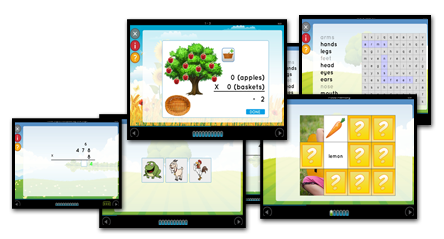
Sarah also completed a few activities in other subject areas as well.  Activities vary by subject but include word finds, multiple choice answers, fill in the blank, dragging and dropping, sorting, etc. Some basic keyboard skills will be necessary for students to complete the lessons.  However, we found the program extremely easy to navigate. 

Here is a grammar activity where the student had to color all the abstract nouns.  First you needed to click on the color and then click on the noun.  By clicking on the little hammer at the bottom, students could be reminded of the rule for abstract nouns and given a few examples in case they became stuck or could not remember the rule. 

Overall, ESA has been a perfect resource for our summer learning activities.  It's simple, not overwhelming, and doesn't take much time to complete yet keeps students' knowledge fresh.   Sarah said her favorite subject area was reading but she felt she needed the most review in the vocabulary and math sections.  She also enjoyed reviewing the grammar lessons.  


You can find out more about ESA on Facebook, Twitter, and Pinterest.


Essential Skills Advantage Review

Crew Disclaimer